Maintenance for websites built in code.

A custom site has no plugins to update, and it still ages. We keep it on supported versions, apply security fixes, check it every week and stop a bad deploy before it goes live.

Concentric rings of light around a steady core, with one ring being redrawn, for Maintenance

What it is

No plugins. Still a calendar.

Most website maintenance services are built around WordPress: update the plugins, update the theme, back up the database. A site written in Next.js or Nuxt has none of that, which is one reason to build it that way.

It has something else: a framework and a runtime with published end dates, and a few hundred libraries that get security fixes of their own. Miss an end date and the site keeps running, without security fixes. Maintenance is knowing those dates and moving before them.

The calendar

Every version has an end date.

These are the support windows the projects themselves publish. A site built two years ago runs one of these versions or an older one, and that version may already receive no fixes.

  • Next.js 15

    Security releases until January 2027.

    • Supported, Jan 2025 to Oct 2025 (Supported)
    • Security only, Oct 2025 to Jan 2027 (Security fixes only)
    • Ended, from Jan 2027 (Ended)
  • Next.js 16

    The current major version.

    • Supported, from Oct 2025 (Supported)
  • Nuxt 3

    End of life on 31 July 2026.

    • Supported, Jan 2025 to Jul 2026 (Supported)
    • Ended: no fixes, from Jul 2026 (Ended)
  • Nuxt 4

    Supported until six months after Nuxt 5.

    • Supported, from Jul 2025 (Supported)
  • TLS certificates

    The maximum lifetime of a certificate keeps shrinking.

    • 200 days, Mar 2026 to Mar 2027 (Maximum certificate lifetime)
    • 100 days, Mar 2027 to Mar 2029 (Maximum certificate lifetime)
    • 47 days, from Mar 2029 (Maximum certificate lifetime)
  • Supported
  • Security fixes only
  • Ended
  • Maximum certificate lifetime

Dates as published by Next.js, Nuxt and the CA/Browser Forum, read on 15 November 2026. Open-ended bars have no published end date yet.

Sources: Next.js, support policy (opens in a new tab), Nuxt, roadmap (opens in a new tab), CA/Browser Forum, ballot SC081v3 (opens in a new tab)

What we do

Four jobs, and how often.

Job
Site-integrity check
How often
Every build and every deploy
How it works
An automated check of routes, languages, tracking, sitemap and deploy settings. If something structural is broken, the deploy is blocked.
Job
Security and dependency updates
How often
In the monthly sprint; an urgent security fix does not wait for it. Always before a version reaches its end date
How it works
Framework, runtime and libraries are kept on supported versions. Each update passes the integrity check before it goes live.
Job
Technical monitoring
How often
Weekly per site
How it works
An agent checks status codes, redirects, the sitemap, robots rules and page speed, and raises a task for a person when something is off.
Job
Form spam protection
How often
Continuously
How it works
One shared spam guard protects the contact forms. When a new pattern appears on one site, the rule is updated for all of them.

In detail

Security, uptime and recovery.

Security updates

Most of your site is code you did not write.

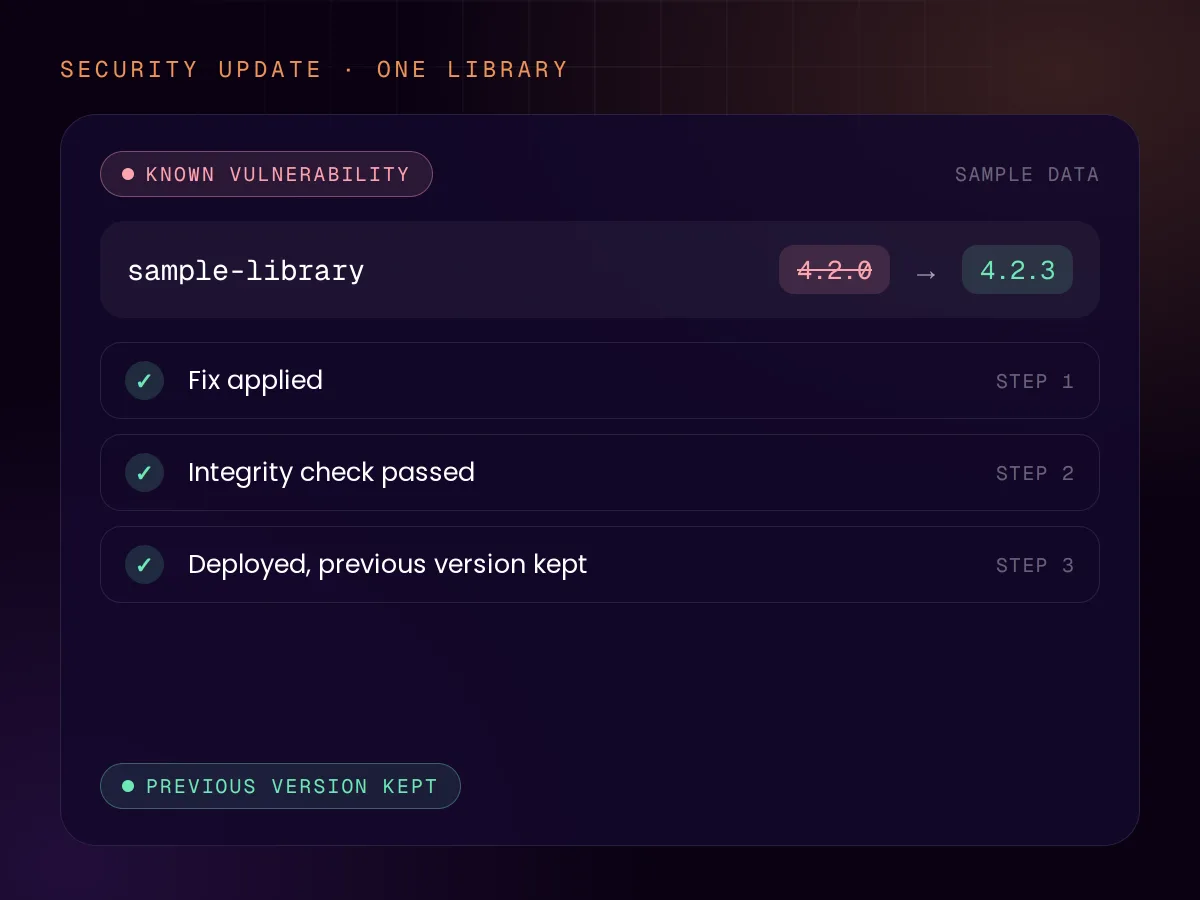
A custom site depends on hundreds of open-source libraries. OWASP’s current Top 10 puts failures in that supply chain third on its list of web security risks, and names not upgrading frameworks and dependencies in time as one of the causes. The UK’s data regulator notes that attackers commonly exploit known vulnerabilities for which a patch already existed.

So updates are watched, not remembered. Tools such as npm’s audit and GitHub’s Dependabot report an affected library, the fix is applied, and the integrity check runs before the change reaches visitors. The UK’s cyber security centre advises installing updates promptly, ideally within a few days.

  • Framework and runtime on supported versions
  • Known vulnerabilities in dependencies fixed
  • Every update tested before it goes live
Weekly checks

An outage costs more than the hours it lasts.

When a site returns server errors, Google slows its crawling and ignores what those pages return. Pages already in the index are kept for a while and, if the errors continue, eventually dropped. Recovery is gradual. A short outage is survivable; one that nobody notices is not.

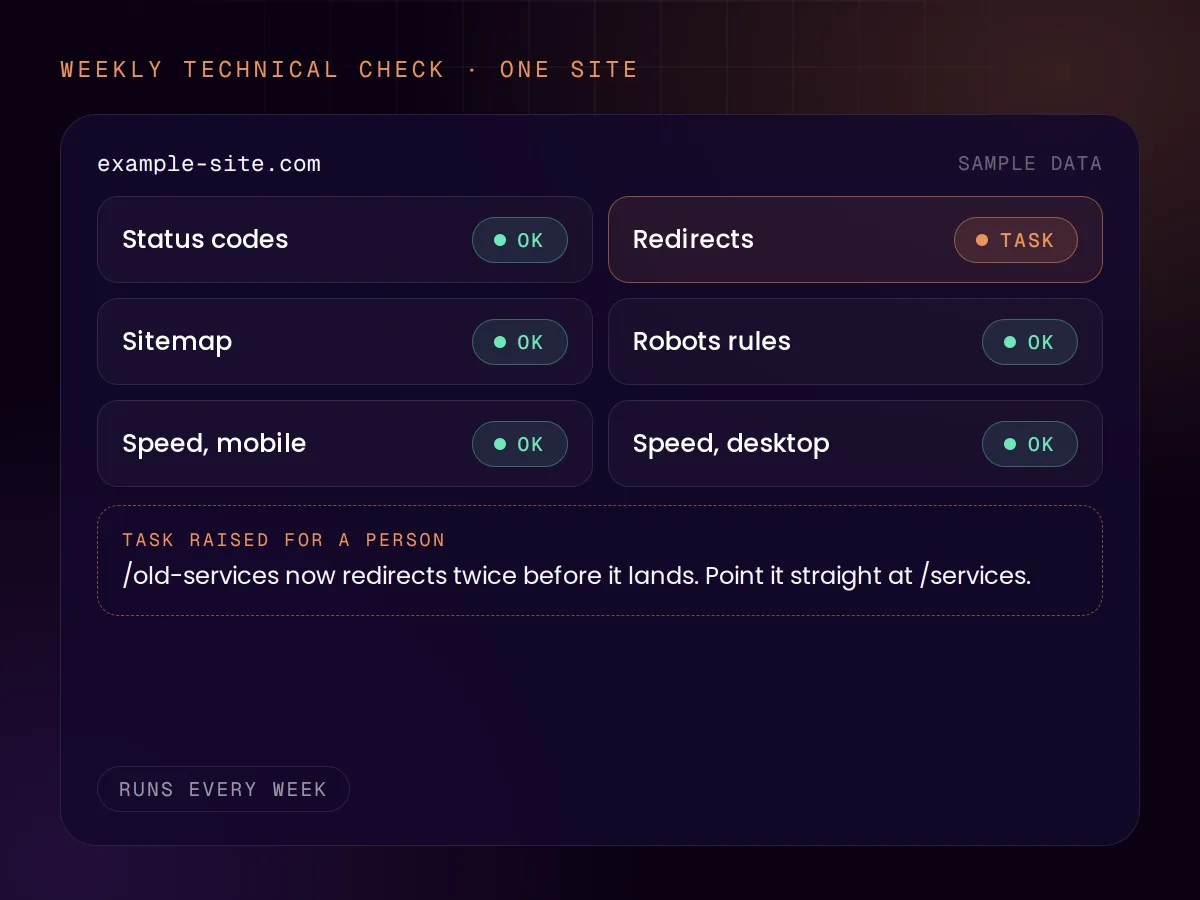
The quiet failures matter as much: a redirect that broke after a change, a sitemap that stopped updating, a page that became slow. Those are what the weekly technical checks are for. They run once a week: this is not monitoring that alerts within minutes.

  • Status codes, redirects, sitemap and robots rules
  • Page speed on mobile and desktop
  • A task for a person when something is off

Recovery

Going back is one step.

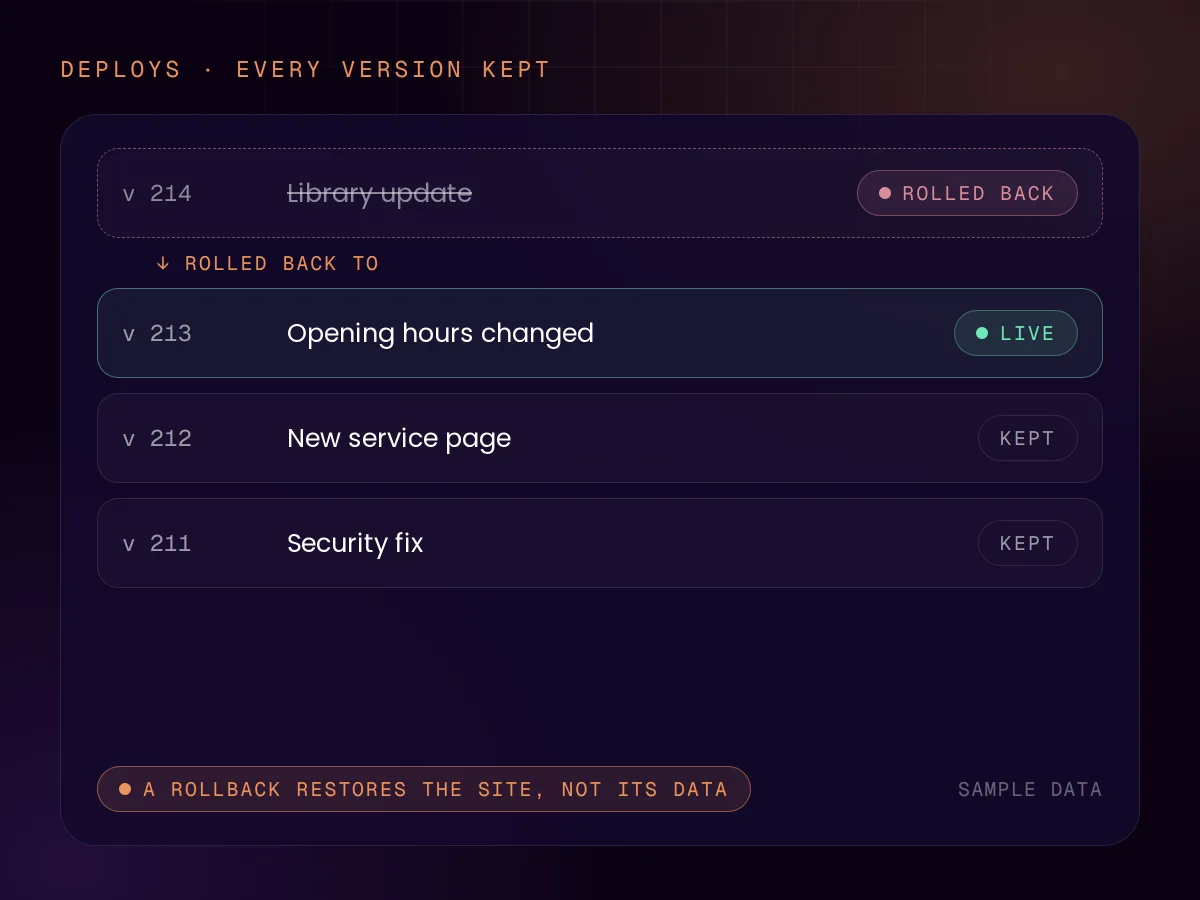
A site deployed from code has its history built in. Every version is in version control, and on Cloudflare Workers a deploy can be rolled back to one of the last 100 versions. If an update misbehaves, the previous version is live again in moments.

A rollback restores the site, not its data. If your site stores anything, such as form entries or a catalogue, that needs its own backup, and a backup only counts once a restore has been tried. We scope that per site, because many sites store nothing at all.

  • Every version kept in version control
  • Rollback to a previous deploy
  • Data backups scoped per site

Sources: OWASP Top 10:2025, A03 (opens in a new tab), ICO, ransomware and data protection (opens in a new tab), NCSC, keeping software up to date (opens in a new tab), Google, HTTP status codes and crawling (opens in a new tab), Cloudflare, rollbacks (opens in a new tab), NCSC, backing up your data (opens in a new tab)

Honest scope

What we maintain, and what we do not.

We maintain

  • Websites built in Next.js or Nuxt, by us or by someone else.
  • A site built by another team, after we have reviewed its code.
  • The framework, the runtime and the libraries the site depends on.
  • The checks that guard routes, tracking and the sitemap on every deploy.

We do not

  • Offer WordPress or page-builder care plans. Others do that well.
  • Guarantee an uptime figure. That belongs to the hosting platform.
  • Take over a codebase unseen.
  • Lock you in: the code is yours, and your developer can take over.

How it works

Review, baseline, watch, fix.

  1. 01 · Review

    Read the code

    For a site we did not build: a review of the code, its versions and its deploy setup, so we know what we are taking on.

  2. 02 · Baseline

    Get it current

    Bring the framework and libraries to supported versions and add the integrity check to the build.

  3. 03 · Watch

    Check every week

    The technical checks run weekly and vulnerability alerts are assessed as they appear.

  4. 04 · Fix

    Act on what turns up

    Fixes and updates are made in the monthly sprint; an urgent security fix does not wait for it. Everything is tested, and deployed with a way back.

How it is sold

A monthly sprint

Maintenance is the optional monthly sprint: its size depends on the site, so it is quoted after the review. Clients on the sprint get a same-day response when the site is down and a response on the next working day for everything else. See all pricing

FAQ

Questions about Website Maintenance

Reviewed by Chris de Gruijter,

Find out which version you are on.

Start with the free AI Scan, or send us the site and ask for a code review.