One codebase. Both app stores.

We build iOS and Android apps in Flutter, from a single codebase, and publish them under your own developer accounts. First we check whether you need an app at all.

A stream of light running into two upright phone-shaped frames, for Mobile Apps

What it is

An app is a commitment, not a launch.

A mobile app development agency is usually hired for the build. The build is the smaller part. Once an app is in the stores, Apple and Google set the terms: a yearly fee, a review of every release, and a deadline each year. Miss Google’s and the app is no longer offered to new users on newer phones; miss Apple’s and you cannot ship an update until the app is rebuilt with the current tools.

We build in Flutter, which produces the iOS and the Android app from one codebase, so there is one thing to build and one thing to keep current. And we start with a question worth asking first: whether a website that installs on a phone would do the job for a fraction of the cost.

App or website

Do you need an app at all?

A modern website can be installed on a phone, work offline and, once it is on the home screen, send notifications. Four questions tell you whether that is enough.

01Must it work fully without a connection?Entering and reading data on a train, abroad, or on a building site.
02Does it lean on the phone itself?Camera, biometrics, background work, or data stored safely on the device.
03Will people open it several times a week?An app earns its place on a home screen through habit.
04Is there budget for yearly upkeep?Both stores set a deadline every year that an app has to meet.

Our advice

Answer the four questions to see what we would build in your place.

0 / 4 questions answered

A rule of thumb, not a quote. The last question decides on its own: an app nobody maintains falls behind the stores’ yearly rules.

Sources: web.dev, what web apps can do (opens in a new tab), Apple, App Review Guidelines (opens in a new tab)

The gatekeepers

What the two stores ask of you.

Your app reaches people through two companies, and each has its own fee, its own review and its own yearly deadline. These are their rules, not ours.

Apple App Store

$99 a year

The Apple Developer Program, paid by you, in your own name.

Before the first release
A developer account in your organisation’s name. In the EU you must also state your trader status, or the app is removed from the App Store there.
What the review looks at
Every release is reviewed. It must be complete, with no placeholder content, and it must be more than a repackaged website.
Privacy
A privacy policy linked in the app, and a privacy label that also covers the code of other companies built into your app. You are responsible for keeping it accurate.
Every year
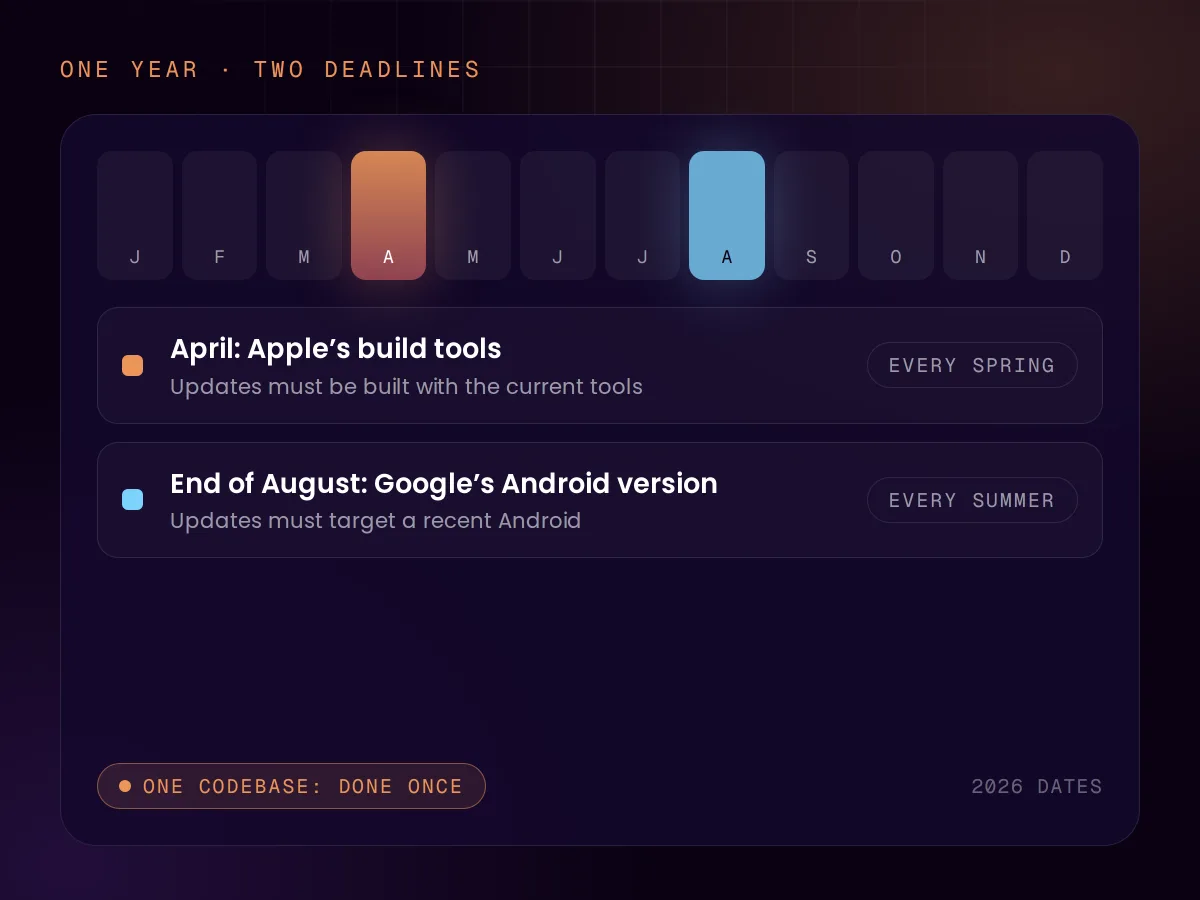
Releases must be built with Apple’s current tools. The requirement moves every spring: since 28 April 2026 that means Xcode 26.

Google Play

$25 once

A one-time registration fee, paid by you, in your own name.

Before the first release
A new personal developer account must first run a closed test with at least 12 testers for 14 days in a row before the app may go live.
What the review looks at
Every release is checked against Google’s policies before it reaches users.
Privacy
A Data safety form for every app, including what the libraries inside it send. It is required even when the app collects nothing.
Every year
Updates must target a recent Android version. Since 31 August 2026, new apps and updates must target Android 16.

As published by Apple and Google on their developer pages, read on 15 November 2026. Fees are in US dollars because that is how both stores publish them. Both stores also take a share of what you sell inside an app; the rates differ by region, so we look them up for your market when we scope.

Sources: Apple, developer account (opens in a new tab), Apple, upcoming requirements (opens in a new tab), Apple, privacy details (opens in a new tab), Google Play, registration (opens in a new tab), Google Play, testing requirement (opens in a new tab), Google Play, Data safety (opens in a new tab), Google Play, target API level (opens in a new tab)

How we build

One codebase, offline first, kept current.

One codebase

Build it once, ship it twice.

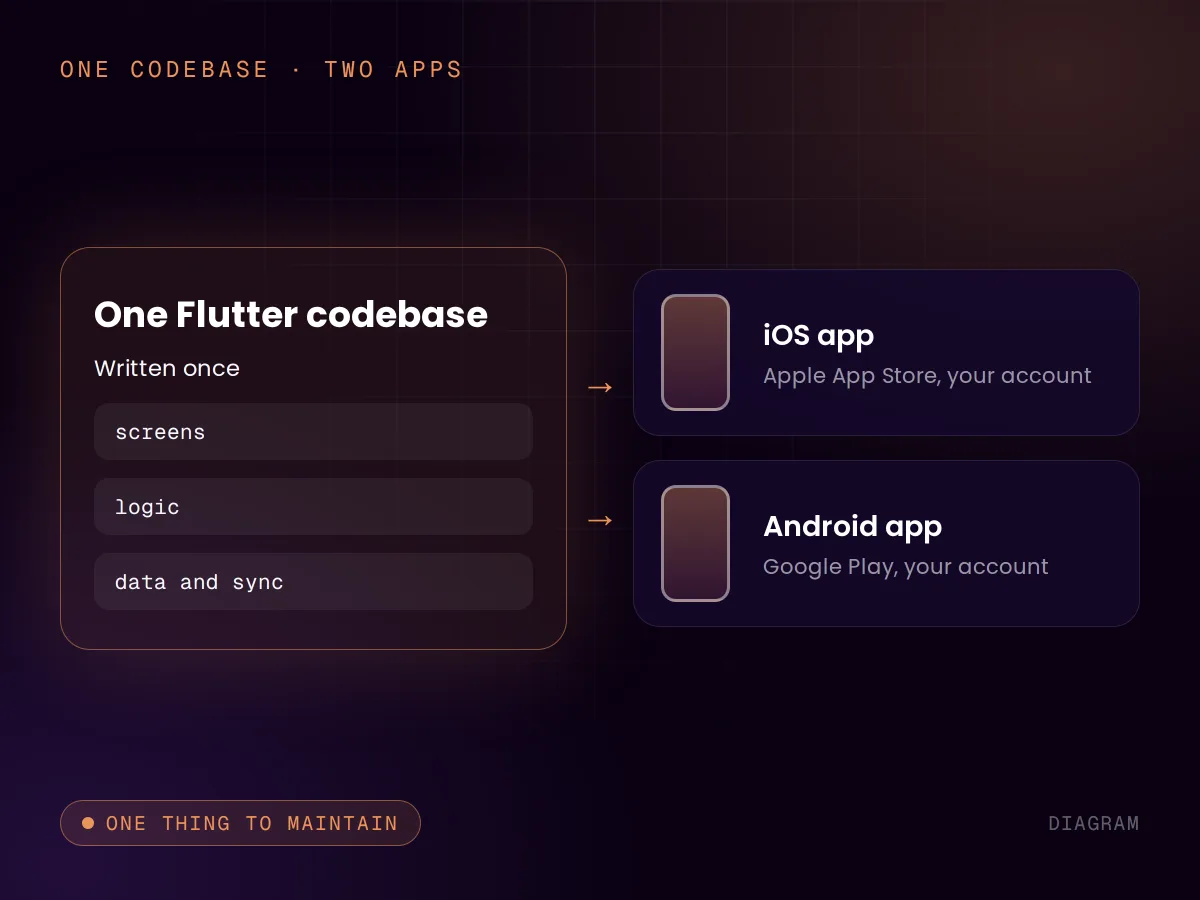
Flutter is Google’s toolkit for building an app once and running it on both iOS and Android. The screens, the logic and the data layer are written one time. The two store versions are produced from the same source.

For you that means one team, one set of features and one bug to fix when something breaks. It is the main reason a small business can afford both stores at all.

  • The same features on both platforms, on the same day
  • One codebase to maintain, not two
  • Room to add a web or desktop version later
Offline first

It works when the signal does not.

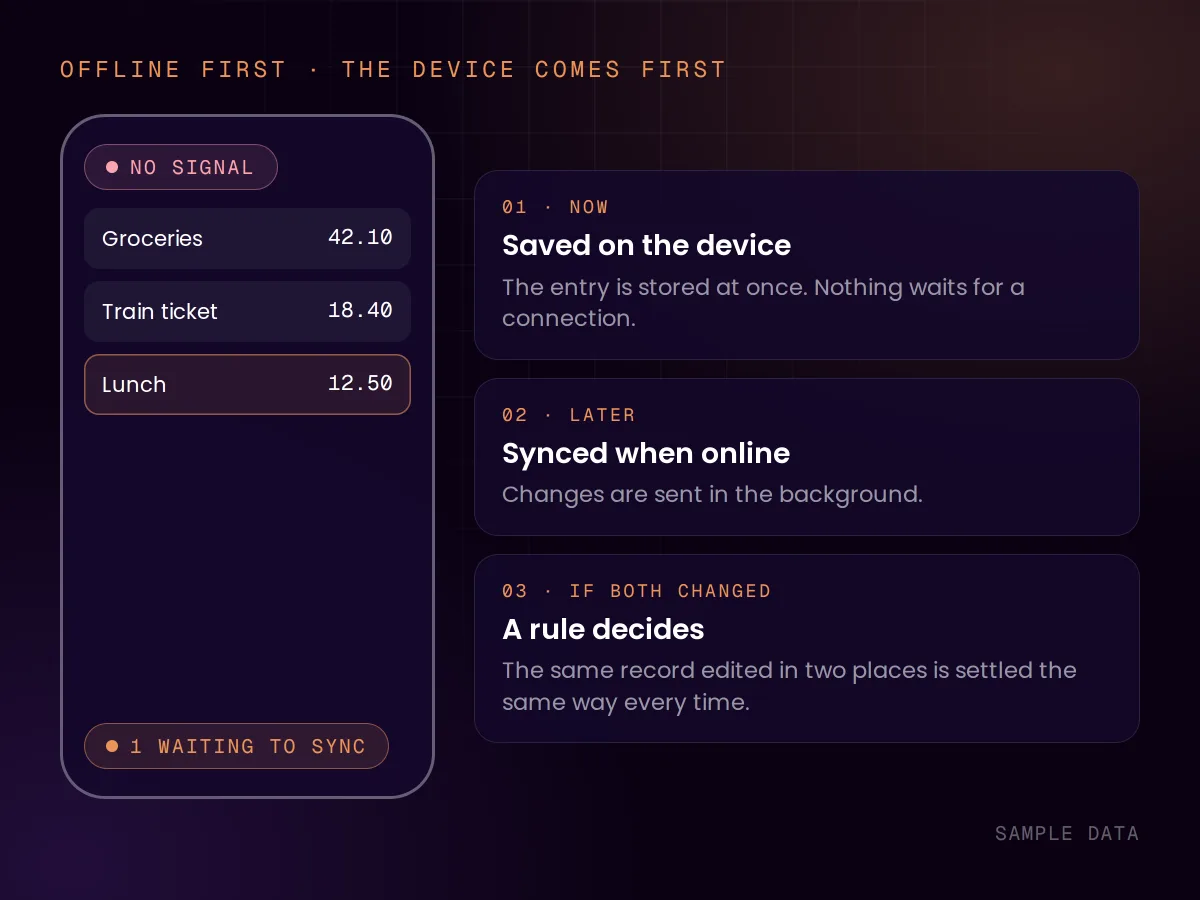
Flutter’s own documentation defines an offline-first app as one that offers most or all of its functions while disconnected. The app stores your data on the device first and syncs when it can, so nothing waits on a connection.

We have built apps this way: a finance app that keeps all its data on the device and works with no connection at all, and a language app whose lessons and recordings are on the device. When an app also has to sync with a server, the question is what happens when the same record changed in two places. That is decided in the design, not patched in later.

  • Data on the device first
  • Sync when a connection returns
  • Conflicts decided by a rule, not by luck

Yearly upkeep

Two deadlines, every year.

Apple raises its required build tools each spring and Google raises its required Android version each August. An app that misses Google’s deadline stops being offered to new users on newer phones. An app that misses Apple’s cannot ship an update, including a security fix, until it is rebuilt with the current tools.

So an app needs a small amount of work every year even when nothing about it changes. With one codebase that work is done once. For clients on the optional monthly sprint we do it; otherwise it goes in your developer’s calendar.

  • Spring: Apple’s build tools
  • August: Google’s Android version
  • Privacy labels kept accurate

Sources: Flutter, supported platforms (opens in a new tab), Flutter, offline-first support (opens in a new tab), Apple, upcoming requirements (opens in a new tab), Google Play, target API level (opens in a new tab)

Flutter or native

When one codebase is the right call.

A native app is written twice, once per platform. That is sometimes worth it. Usually it is not.

Flutter fits

  • You want both stores and have budget for one build.
  • The app is forms, lists, charts, media and accounts.
  • It should look and behave the same on both platforms.
  • One team should be able to maintain it.

Go native instead

  • It depends on a platform feature the day that feature is released.
  • It is a 3D game or does heavy real-time graphics.
  • You already have an iOS team and an Android team.
  • It must feel exactly like the platform’s own apps, down to the detail.

Ownership

What stays with you.

The store accounts
The app is published under your own Apple and Google developer accounts, which you pay for directly. We get access to upload builds, and you can take it away.
The listing and its reviews
Because the app lives in your account, its listing, its ratings and its users stay with you if we part ways.
The code
The code we write for you becomes yours on full payment, and we transfer the repository when you ask. Any Flutter developer can pick it up.

How we work

Decide, scope, build, release.

  1. 01 · Decide

    App or website

    We start with the question above. If an installable website is enough, we say so before you spend on an app.

  2. 02 · Scope

    Cut the first version

    The screens and features of a first release, what works offline, and what waits for version two.

  3. 03 · Build

    One codebase

    Built in Flutter and tested on both platforms along the way.

  4. 04 · Release

    Through both reviews

    Store listings, privacy forms and the review process, under your own accounts.

Price

Quoted per app

No two apps cost the same, so we quote from the scope, fixed and agreed before we start. The store fees are paid by you directly: $99 a year to Apple and $25 once to Google. For UK clients we quote in pounds on request. See all pricing

FAQ

Questions about Mobile Apps

Reviewed by Chris de Gruijter,

Find out whether you need an app.

Start with the free AI Scan, or tell us what the app should do and ask for a quote.