Workflows that run. And tell you when they don’t.

We automate one process end to end, in real code you own. Every workflow has a person on the decisions that matter and reports its own failures.

Abstract stream of light passing through a row of gates, one gate held open, for Workflow Automation

What it is

One process first. Then the next.

Workflow automation means a process runs from trigger to result without someone carrying it between tools: a form becomes a quote, a paid invoice becomes a ledger entry, a month of figures becomes a report.

As your AI automation consultant we do two things. We tell you which process pays back first and which to leave alone, and then we build it. We start with a single workflow, because one that works teaches you more than a roadmap of twenty.

See it run

Four systems we operate, step by step.

Most agencies show a promise of hours saved. We would rather show what a run looks like, including the step that waits for a person and the step that fails.

Site operator

Our own runtime that looks after seven websites. For now it plans and briefs. It is not yet allowed to change a live site, and it earns that step by step.

Trigger
A timer per website, daily or every other day.
  • Seven websites
  • Plans and briefs only
  • 4,150 unit tests
  1. 01Collect the evidenceDone

    Search data, a crawl of the site and the open tasks go into one snapshot.

  2. 02Ask the plannerFailed

    The AI provider answers with a retry response. Nothing is billed and nothing is half done.

  3. 03RetryRecovered

    The call is repeated and the plan arrives.

  4. 04Check against policyDone

    Each proposal is tested against the site’s allowed actions and its never-touch paths. What fails is dropped.

  5. 05Second opinionDone

    A supervisor model reviews what is left and writes the daily briefing.

  6. 06Owner decidesWaits for a person

    Anything that needs a decision becomes an “owner needed” card. The run cannot act on it.

  7. 07Write the logDone

    Every step is recorded in a log where each entry carries the hash of the one before.

  • Done
  • Waits for a person
  • Failed
  • Recovered

Simplified runs of systems we operate ourselves. The failures are the kinds each system is built to handle, not a record of one specific day.

Where it pays

Not everything should be automated.

Gartner’s analysts note that many use cases sold as agentic do not need an agent at all. We agree. A fixed sequence beats an AI agent wherever no judgement is needed, and some work should stay with a person.

Worth automating

  • Work that follows the same steps every time and comes back every week.
  • Copying data between two systems that both have an API.
  • Documents built from data you already hold: quotes, invoices, reports.
  • First drafts that a person then approves.
  • Checks that may never be skipped, such as a required field or a house rule.

Better left with a person

  • Decisions where a mistake is expensive and hard to undo.
  • Work that happens a few times a year.
  • A process nobody can describe yet. Automating it only makes the confusion faster.
  • Conversations where your customer needs a person.
  • Anything you could not explain afterwards.

Sources: Gartner, June 2025 (opens in a new tab)

What we automate

Assistants, reports and paperwork.

AI assistants

An assistant is a workflow step, not a colleague.

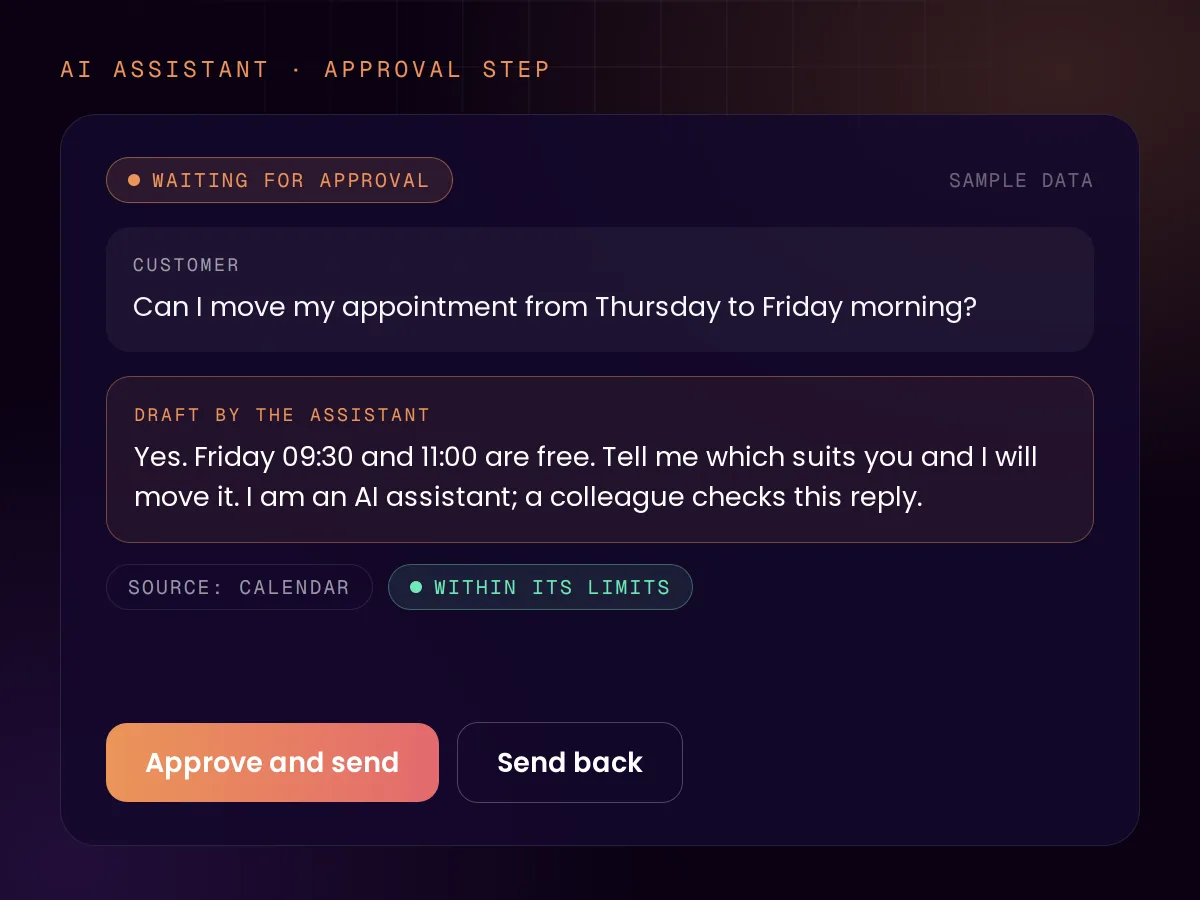
An AI assistant that answers customers, qualifies leads or routes requests is one step in a workflow. It gets what every other step gets: a defined job, a limit on what it may do alone, and a person behind it. Our own agents work this way, and it is the pattern we use when we build a customer-facing assistant for you.

Two rules sit outside anyone’s control. Since 2 August 2026, EU law requires that people in the EU are told when they are talking to an AI system, unless that is obvious. And a company answers for what its assistant says: in 2024 a Canadian tribunal held an airline liable for wrong information its chatbot gave a customer.

  • The assistant says it is an AI
  • Answers come only from sources you approve
  • A clear hand-over to a person
  • Every conversation is logged

Reporting

Reports that assemble themselves.

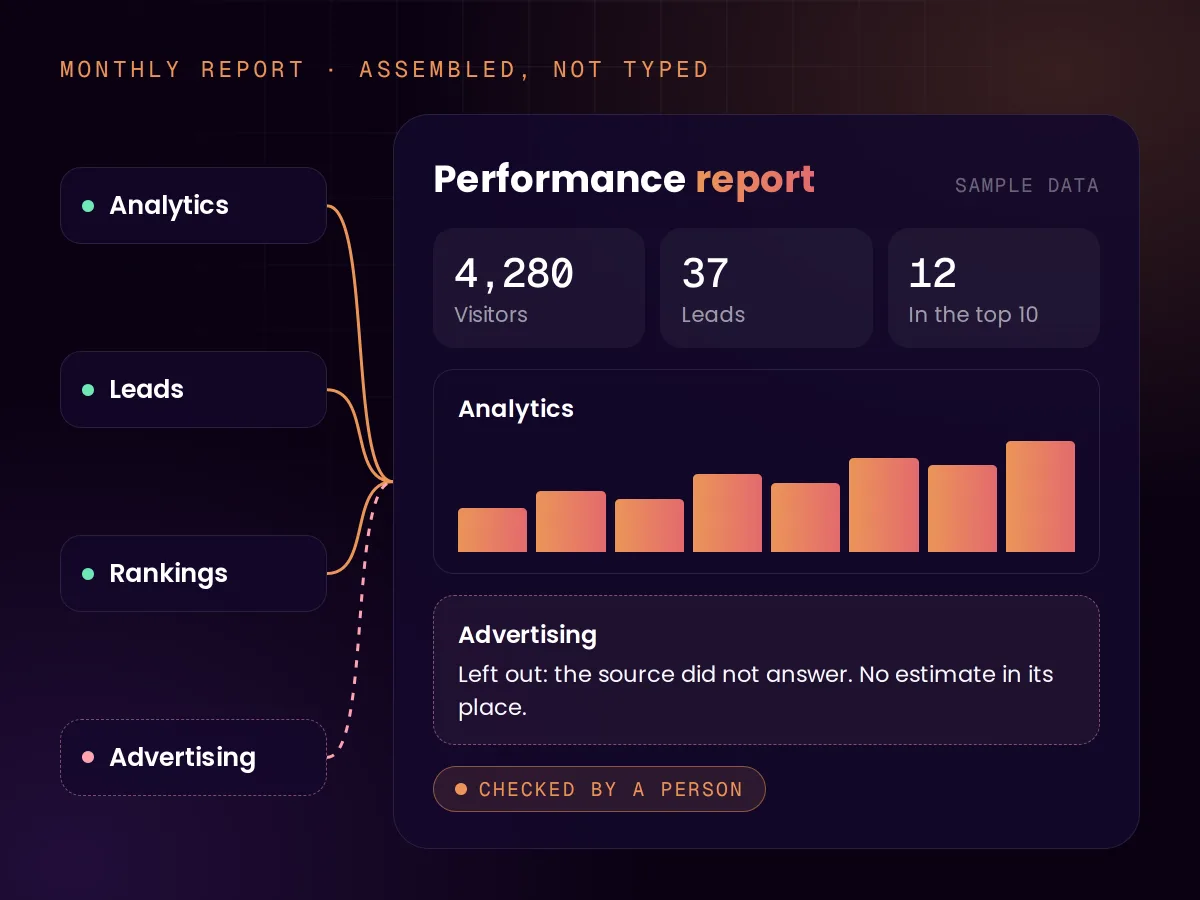
Our clients receive a monthly performance report that nobody builds by hand. The figures come from the same database their dashboard reads, so the two cannot disagree. It renders in the client’s language, appears in their dashboard and is mailed as a link.

The rule that matters most is what happens when data is missing. The report leaves the section out and says why. It never fills a gap with an estimate.

  • One source for report and dashboard
  • Dutch or English from one template
  • A person checks the numbers before the send

Document automation

Paperwork generated on trigger.

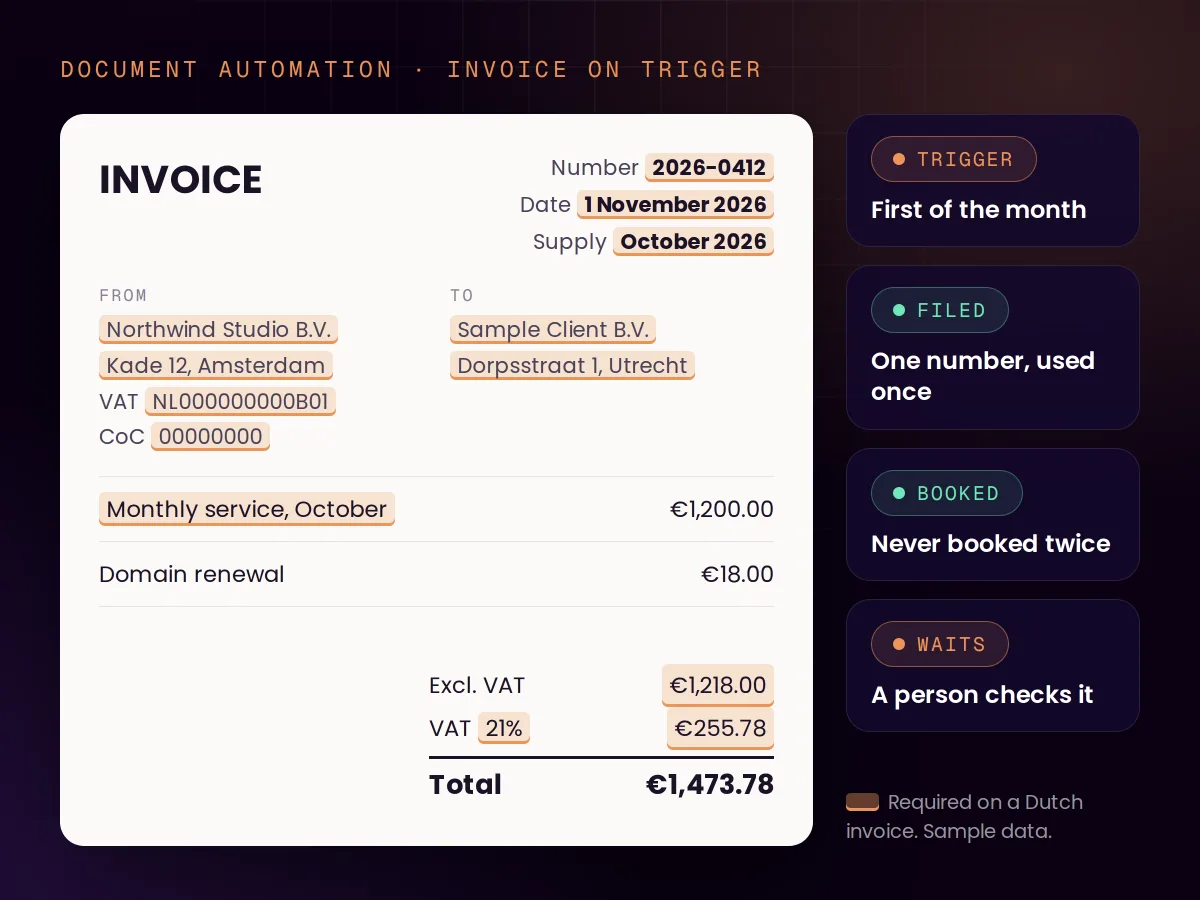
A quote, an invoice or a proposal is data in a layout. Our own invoices are generated on the first of the month from each client’s configuration, filed in the right folder and booked in the ledger in the same run.

The rules belong in the generator, not in someone’s memory. Dutch tax rules, for example, require a unique invoice number and a fixed set of details on every invoice, from the VAT identification number to the date of supply. A generator applies them every time.

  • A sent document is never edited: a correction is a new document
  • A re-run cannot book the same invoice twice
  • A person checks every PDF before it goes out

Sources: European Commission, AI Act article 50 (opens in a new tab), Moffatt v. Air Canada, 2024 BCCRT 149 (opens in a new tab), Belastingdienst, invoice requirements (opens in a new tab)

Under the hood

Built for the day something breaks.

Our site operator is the strictest system we run. It ships with 4,150 unit tests at 97.8% line coverage, and these are the rules it runs under. A client build gets the controls its risk calls for, chosen from the same set.

The AI never holds a key

The model cannot see a password or token. A separate broker makes each outside call and issues run tokens that expire quickly.

No network by default

Each run is sealed off from the internet. Outbound traffic is refused unless the destination is on a short allow-list.

Changes signed with a hardware key

Configuration loads only from changes signed with a physical security key. A change nobody signed is not applied.

An allow-list per site

Every site states which actions are enabled, which paths may be edited and which may never be touched.

A log that shows tampering

Each entry carries the hash of the one before it, so an altered or missing entry breaks the chain.

A stop button and a spending cap

One message from a phone pauses a single site or all of them. A budget per site holds the run when it is reached.

How we work

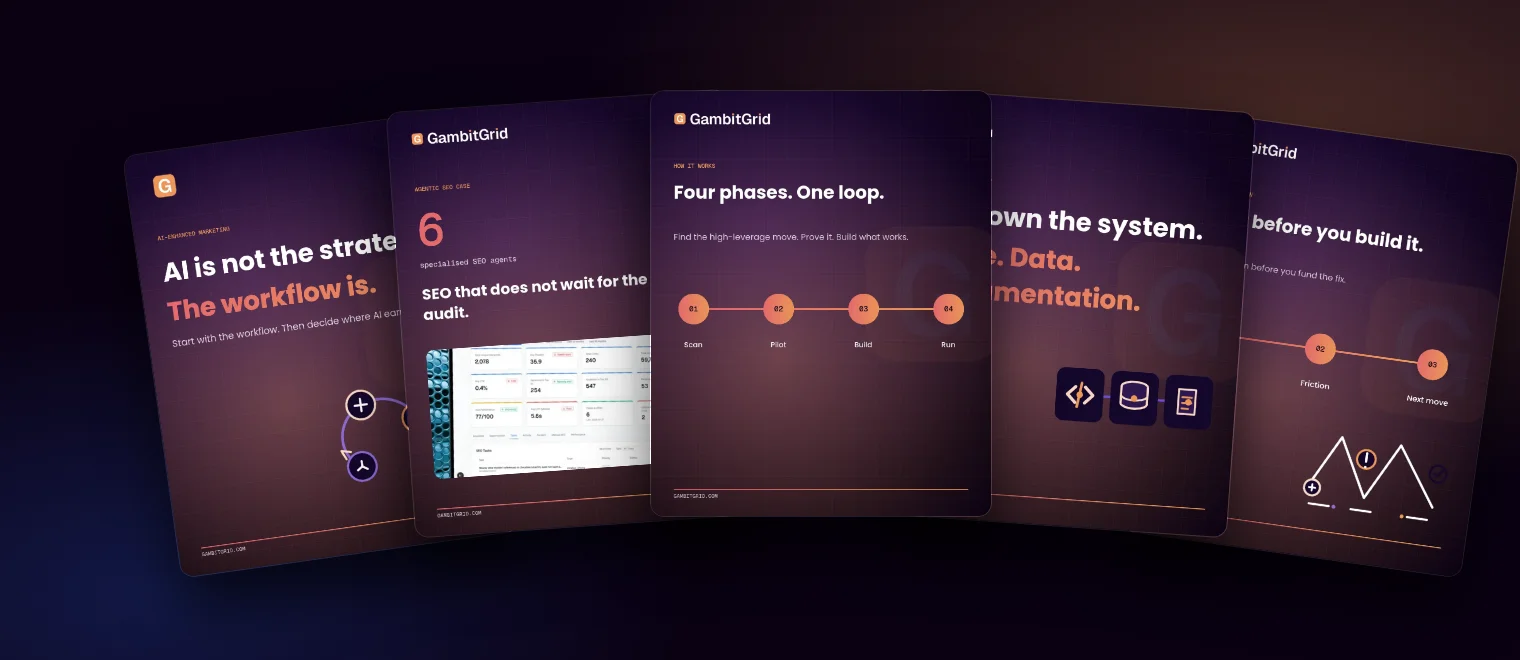
Scan, pilot, build, run.

  1. 01 · Scan

    Find the process

    The free AI Scan maps your highest-leverage moves and ranks them by impact and effort. You keep the roadmap either way.

  2. 02 · Pilot

    Prove it on one workflow

    We automate one process end to end on real data, with a person approving the output. You see it work before anything else is built.

  3. 03 · Build

    Make it dependable

    Logging, retries, failure reports and the approval steps go in, and the system is documented so another developer can take it over.

  4. 04 · Run

    Hand over, or keep us on

    You get the documentation and the accounts, and the code on full payment. Monitoring and changes are available as an optional monthly sprint.

A first workflow

€500 – €5,000

Fixed and agreed before we start. Where it lands depends on how many systems the workflow touches and how much approval logic it needs. For UK clients we quote in pounds on request. See all pricing

Tools

What we build on, and what it bills.

We build in custom code first, and in n8n, Make or Zapier on request. Look at the billing unit before the entry price, because it decides what a workflow costs once it runs at volume.

Built on
Custom code Our default
What you are billed for
Hosting only. No fee per run or per step.
Who holds it
Your repository and your cloud account.
When we choose it
Most work: approval steps, AI, volume, or anything business-critical.
Built on
n8n
What you are billed for
Per execution: one run of the whole workflow, however many steps it has.
Who holds it
Your n8n account, or your own server.
When we choose it
When your team wants to see and edit the workflow visually.
Built on
Make
What you are billed for
Per credit: most module actions in a scenario use one credit.
Who holds it
Your Make account.
When we choose it
When you already run on Make.
Built on
Zapier
What you are billed for
Per task: each action a Zap completes counts as one.
Who holds it
Your Zapier account.
When we choose it
When you already run on Zapier.

One run of a five-step workflow is a single n8n execution, but several Make credits or Zapier tasks. Billing units as published by each vendor on 14 November 2026.

Sources: n8n pricing (opens in a new tab), Make pricing (opens in a new tab), Zapier pricing (opens in a new tab)

Your data

Who is responsible for what.

Automation moves customer data through more hands. This is how the roles fall under GDPR, and UK GDPR sets the same requirements for processors. It is general information, not legal advice.

You stay the controller
You decide why and how customer data is processed. Automating the work does not move that responsibility.
Each tool in the chain is a processor
Every one needs a written processor agreement with you, and a processor needs your written permission before it brings in another party. That applies to us too: when we can reach your customers’ data, we sign a processing agreement with you.
Self-hosting keeps it in your hands
Run the automation on your own infrastructure and the tool’s vendor never handles the data. n8n states it is neither controller nor processor for self-hosted installs.

Sources: Autoriteit Persoonsgegevens, processor agreements (opens in a new tab), ICO, contracts between controllers and processors (opens in a new tab), n8n, privacy and security (opens in a new tab)

After launch

You own it. We stay if you want.

The code becomes yours

The code we write for you is yours on full payment, and we transfer the repository when you ask. Tool accounts are opened in your name. No licence fee to us and no lock-in.

Failures report themselves

Every workflow we build logs its runs and reports a failed run to the person you name, so nothing fails silently for weeks.

Support is optional

Each build is a one-time project. Monitoring, fixes and changes are available as a monthly sprint, only if you want it.

FAQ

Questions about Workflow Automation

Reviewed by Chris de Gruijter,

Find the workflow that pays back first.

Start with a free AI Scan of your operations, or tell us which workflow you want automated.